Running more than one godown without losing the count
A second location doubles the stock questions and quadruples the arguments. What to settle before you open one.
Read articleManage inventory, sales, purchases, accounts, production, HR and reporting from one cloud-based ERP solution designed for growing businesses.
Illustration of the ERPsysi dashboard — sample figures, not a customer's data.
Implementing ERPsysi can offer numerous benefits to a company, positively impacting various aspects of its operations and overall performance.
An enquiry is recorded the moment it comes in.
Priced, numbered and sent, with a reminder behind it.
The quotation becomes an order without retyping it.
Stock is held against the order, godown by godown.
GST invoice, e-way bill and e-invoice from one screen.
Receipts go against the bill, outstanding updates itself.
Every step above shows up in the dashboard the same day.
Six things ERPsysi does for every customer, whatever they sell.
Open ERPsysi from any browser. Nothing to install, nothing to back up by hand, and the same numbers wherever you sign in.
Every person gets their own login and their own rights, and you can run as many godowns and branches as the business needs.
Sale, purchase, stock, outstanding, profit and cost on one screen, as they stand right now.
GST invoicing, e-way bills and e-invoicing are part of raising the bill, not a separate job at the end of the month.
Approvals, reminders and alerts go out by WhatsApp and email on their own, so nothing waits on somebody remembering.
Take the modules you need. Anything that does not fit the way you already work is built to suit.
Each one is a complete system on its own, and every one of them runs on the same cloud.
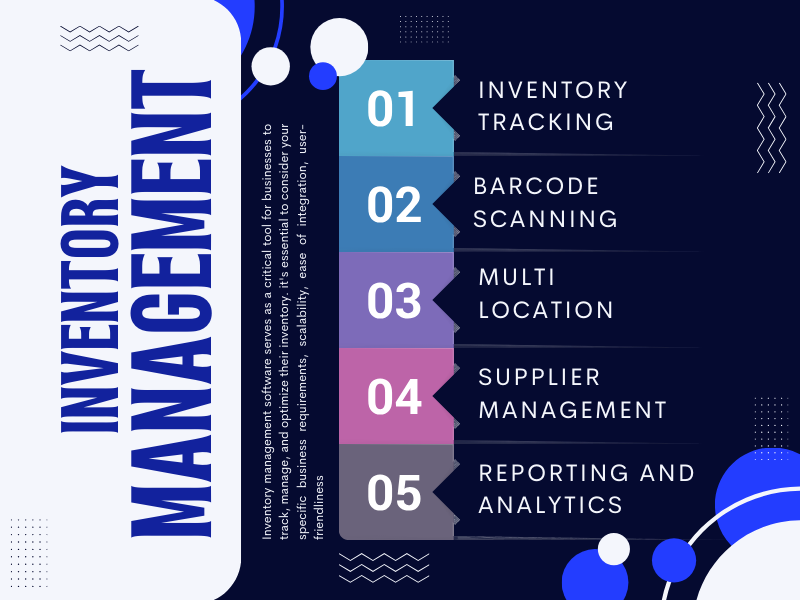
Keep your stock organised across multiple locations with inventory management software from ERPsysi. Track stock movement, scan barcodes, manage supplier records and access inventory…
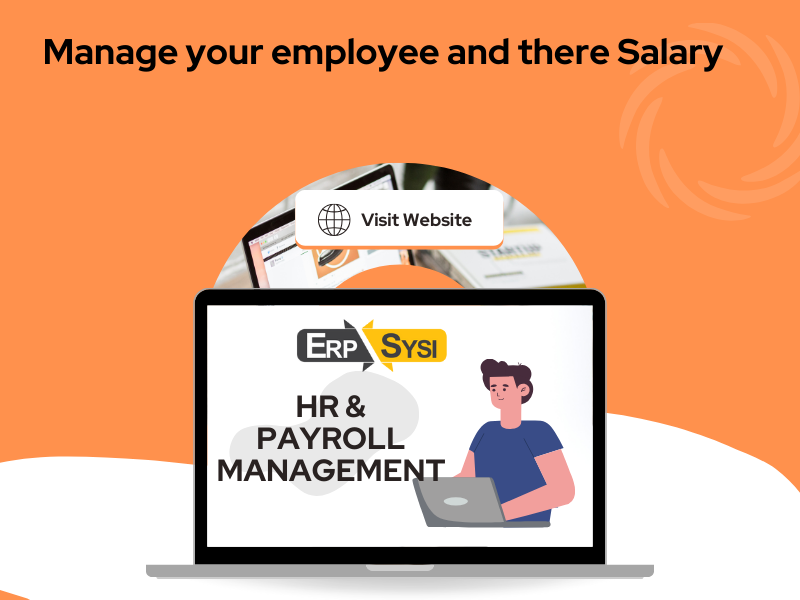
Manage employee information and payroll activities through one organised platform. ERPsysi HR & Payroll Management helps businesses bring their workforce-related information and payroll…
Keep customer enquiries, sales leads and quotations organised in one place. ERPsysi Lead & Quotation Management helps businesses…
Bring your business operations together with ERPsysi Complete ERP Software. Manage sales, purchase, inventory, accounts…
Running a business means keeping many things moving at once. Sales, purchases, stock, production and accounts all need attention—and they work best when they work together.
ERPsysi brings these everyday operations into one connected platform. Choose the modules that match your business, organise your workflows and give your team a clearer view of what's happening across the business.
Whether you manage a factory, trading business or distribution operation, the right combination of modules helps keep work organised and information accessible.
Every enquiry, quotation and order on one line, from the first call through to after-sales service.
Raise purchase orders against what the stock actually needs, and keep each supplier's record beside them.
Plan a run, follow it through the floor, and pack what comes off it.
What you hold, which godown holds it, and what left the building today.
GST invoices, e-way bills and e-invoicing raised from the same screen as the sale.
Staff records, attendance, leave and salary, with an approval behind each one.
Module-wise reports, a live dashboard, and reminders that go out by email and WhatsApp.
Open the screens your team would live in. Pick a part of the business and see what it looks like on the day.
The screen the owner opens first: what sold, what came in, what is still outstanding and what it cost.
Request a Live DemoEnquiry to quotation to order to invoice, each one carrying the last one's details forward.
Request a Live DemoModule-wise reports you can take to the bank, the auditor or the sales meeting.
Request a Live DemoThe same platform, set up differently. These are the businesses ERPsysi was written around.
The challenge The plan changes during the day and the floor is the last to hear about it.
How ERPsysi helpsThe challenge Buying and selling against the same stock, in more than one godown.
How ERPsysi helpsThe challenge The queue does not wait while somebody looks up a rate.
How ERPsysi helpsThe challenge Thousands of items, several locations, and a count that has to tie.
How ERPsysi helpsThe challenge Cylinders go out full and have to come back.
How ERPsysi helpsThe challenge Things that go out, come back, and are billed for the time in between.
How ERPsysi helpsA second location doubles the stock questions and quadruples the arguments. What to settle before you open one.
Read articleIf compliance is a separate job at the end of the month, it is a job that gets forgotten. It should be a by-product of raising the bill.
Read articleNot the software - the handovers. Where an order stops being retyped, and where the numbers stop disagreeing with each other.
Read articleERPsysi is a cloud-based ERP solution that allows authorised users to access business information online. Your team can work from supported computers and devices through an internet connection. The hosting, access and data backup arrangements can be discussed during your product demonstration.
Yes. ERPsysi can be configured around your business processes and operational requirements. You can select the modules your business needs, and additional customisation can be discussed for specific workflows, reports, approvals and business requirements.
ERPsysi supports multi-user and multi-godown business operations. Businesses can manage their users, access permissions and stock across different godowns, depending on the configured system. This helps teams coordinate their daily activities and maintain better control over inventory.
ERPsysi offers accounting and GST-related capabilities, including support for e-way bill and e-invoicing requirements through the relevant modules. The exact functionality and configuration depend on your business requirements and applicable government regulations. Our team can explain the available options during a demo.
ERPsysi includes reminder and notification capabilities to help businesses keep track of important activities. Depending on the configured features, reminders can help teams follow up on outstanding payments, pending activities and other business requirements through supported communication channels.
Getting started is simple. First, we understand your business operations and requirements. Then we identify the relevant ERP modules, discuss the required configuration and customisation, and plan the implementation process. You can begin by booking a free demo with our team.
ERPsysi offers different business modules, including Sales, Purchase, Inventory, Accounts, Production, HR & Payroll, Lead & Quotation Management and more. You can select the modules according to your business needs and create an integrated system for managing your daily operations.
Yes. ERPsysi connects important business operations such as sales, purchase and inventory management. This helps businesses maintain better coordination between transactions and stock records, monitor inventory movement and access relevant business information from a centralised system.
ERPsysi provides mobile-based business application options for supported operations. Depending on the application and configured features, users can access relevant business functions through supported mobile devices. Contact our team to understand which mobile features are suitable for your requirements.
ERPsysi provides business reports and dashboards to help users monitor important operational information. Depending on the selected modules, businesses can review sales, purchase, inventory, outstanding, accounts and production-related information to understand performance and make informed decisions.
ERPsysi pricing depends on your business requirements, selected modules, number of users and any additional customisation required. We recommend discussing your requirements with our team so that we can suggest a suitable configuration and provide the relevant quotation.
Our team can discuss implementation assistance, user training and technical support based on your selected ERP solution and requirements. During the initial discussion, we explain the implementation approach, training requirements and available support arrangements for your business.
Tell us what you need and we will show you the software doing it. No obligation, and nothing to install.